

Analyze Assistant configuration
 |
The configuration of FirstSpirit AI is mandatory for the use of the Analyze Assistant. |
| Table of contents |
The Analyze Assistant is already pre-installed in the cloud.
As an on-premises client, you have to manually install the FirstSpirit AnalyzeAI module.
If you are running a local FirstSpirit server, as a server admin, you can adjust the system prompt as well as global and shared prompts if needed in the FirstSpirit AI Configuration service.
As a project admin, you need to activate the functionality for the project. You can add and adjust project-related prompts in the FirstSpirit AI Configuration ProjectApp.
Server-wide configuration
|
A server-wide configuration is only possible if you operate a local FirstSpirit server. |
As a server administrator, you can define how many requests are used simultaneously to analyze a page. The higher the number of parallel requests, the faster the results are delivered.
- Navigate to the module list.
ServerManager > Server > Properties > Modules - Select the module FirstSpirit Analyze Assistant Service.
- Click Configure.
→ A new window opens.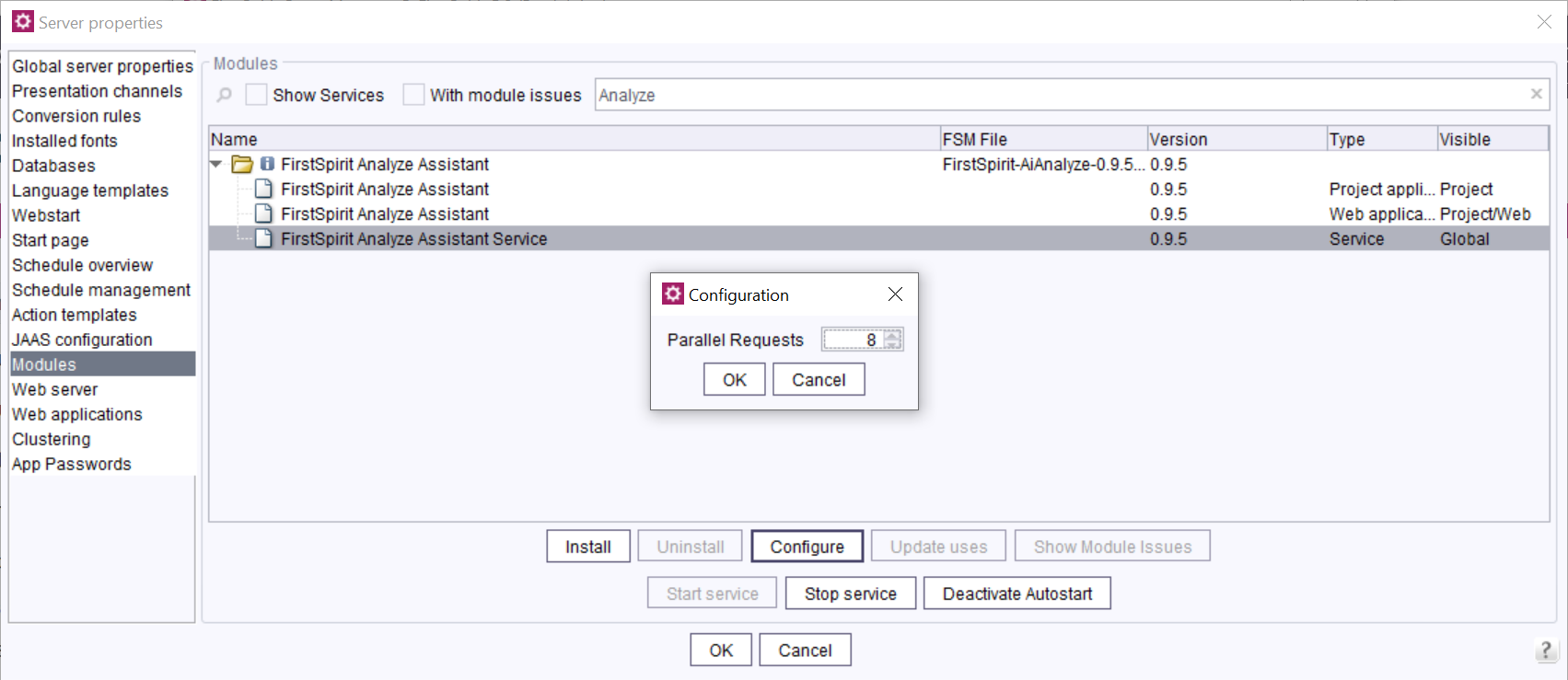
- Define the number of parallel requests.
|
The number of parallel requests must be between 1 and 16. By default, 8 requests are sent in parallel. |
- Click OK to save your changes.
General configuration
As a project admin you need to add the FirstSpirit Analyze Assistant project component for each project in which the Analyze Assistant functionality shall be used:
- Add the FirstSpirit-AIAnalyze-ProjectApp.
ServerManager > Project > Properties > [Project selection] > Project components > Add > FirstSpirit Analyze Assistant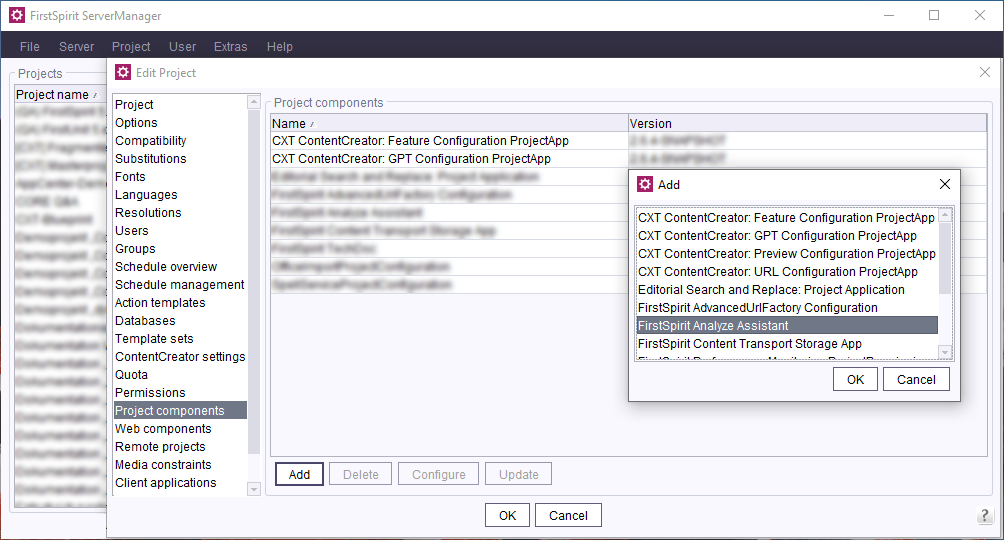
→ Analyze Assistant can be used in this project.
Ready-made prompts
FirstSpirit offers you the following ready-made prompts:
- Review: Checks the texts on the given page for errors and improves the quality.
- Improve / Simple language: Simplifies the texts on the given page to make them easier to understand.
- Improve / Formal language: Modifies the texts on the given page to achieve a more formal style.
- Shorten: Reduces the texts on the given page to make them more concise.
- Tone of Voice: Adjusts the tone of the texts on the given page to achieve a desired mood or style.
- SEO: Optimizes the texts on the given page for search engines to improve discoverability.